Table of Contents
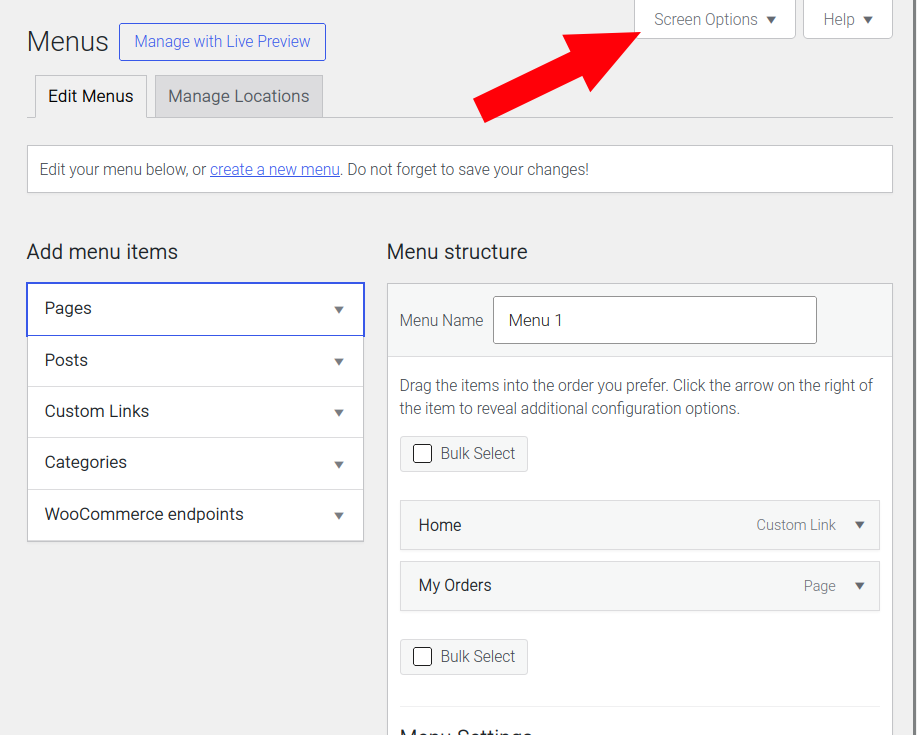
- Go to Appearance > Menus.
- Check the Screen Options at the top right of the webpage.
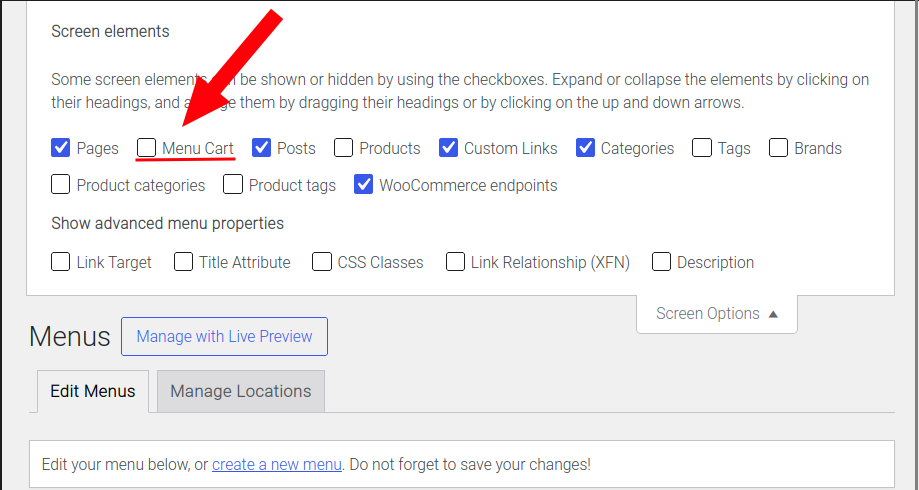
- Make sure that ‘Menu Cart‘ is selected.
- A ‘Menu Cart‘ section should now appear under the ‘Add menu items‘ section.
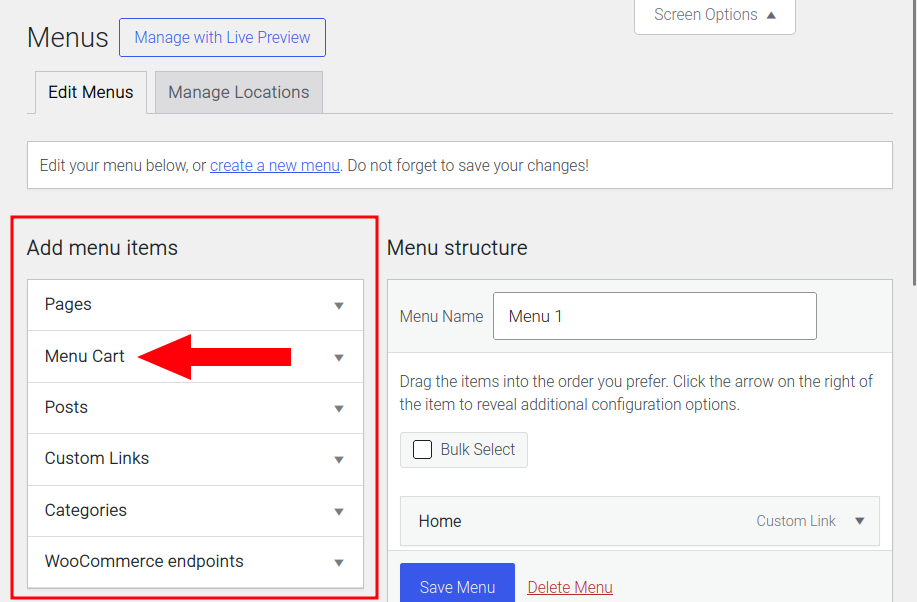
- Add a Menu Cart item to the WordPress menu.
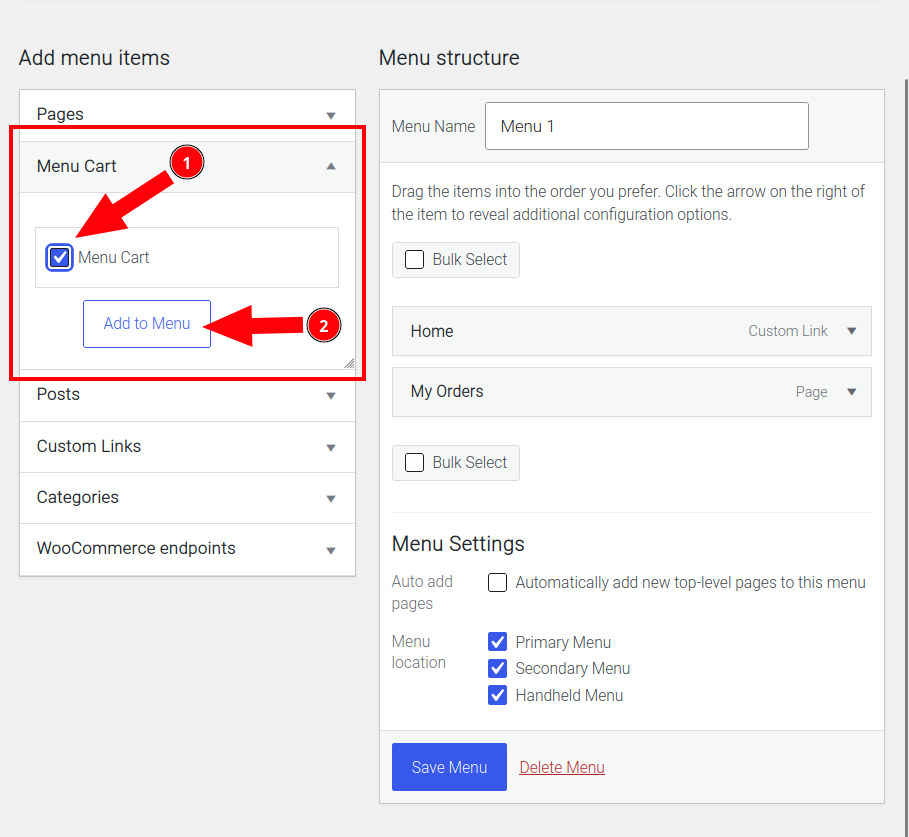
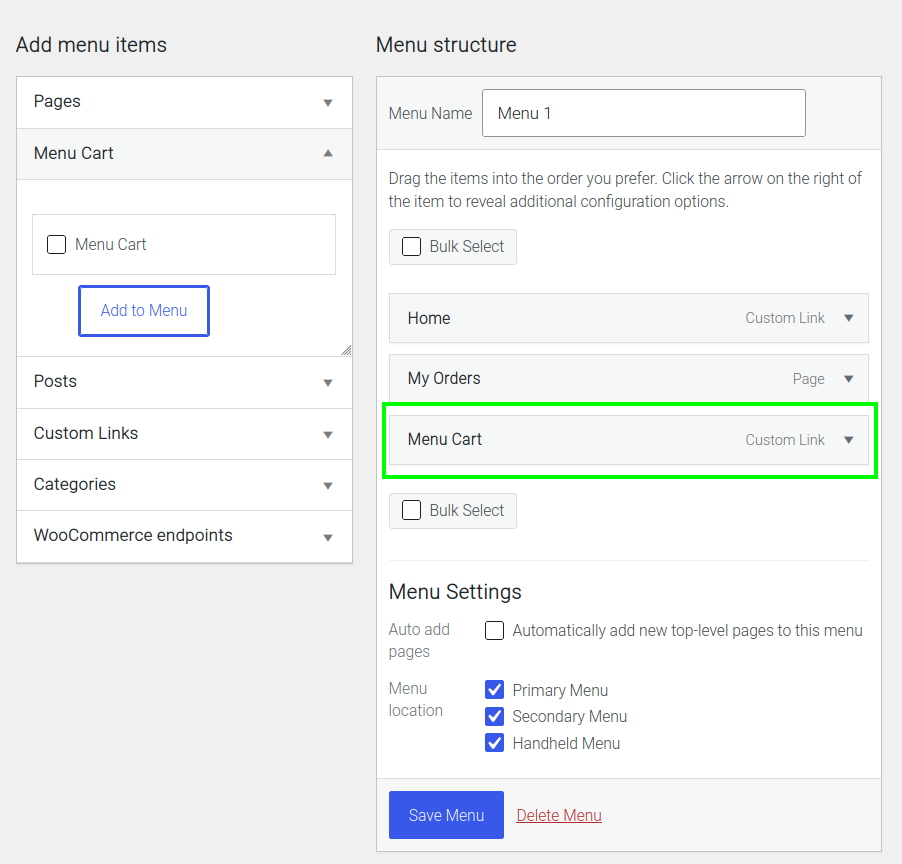
- Move the menu cart item can be moved to the desired postion, then save your settings.
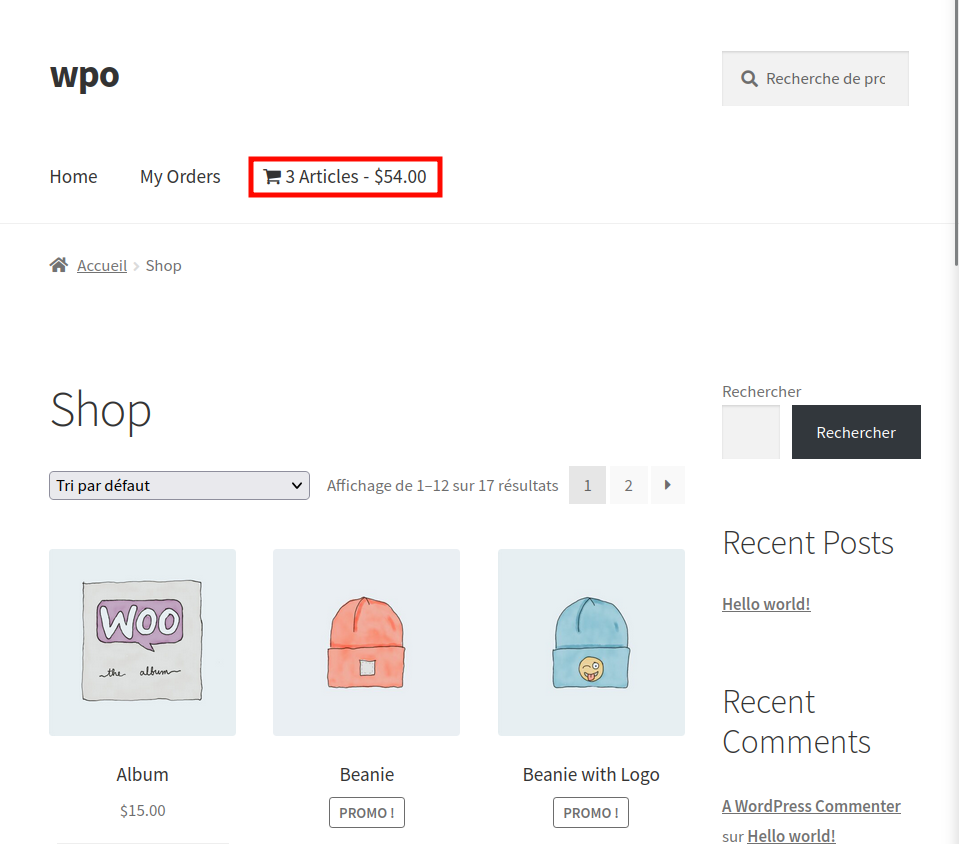
- Via the site front-end, the cart should now appear in the WordPress menu.
Troubleshooting #
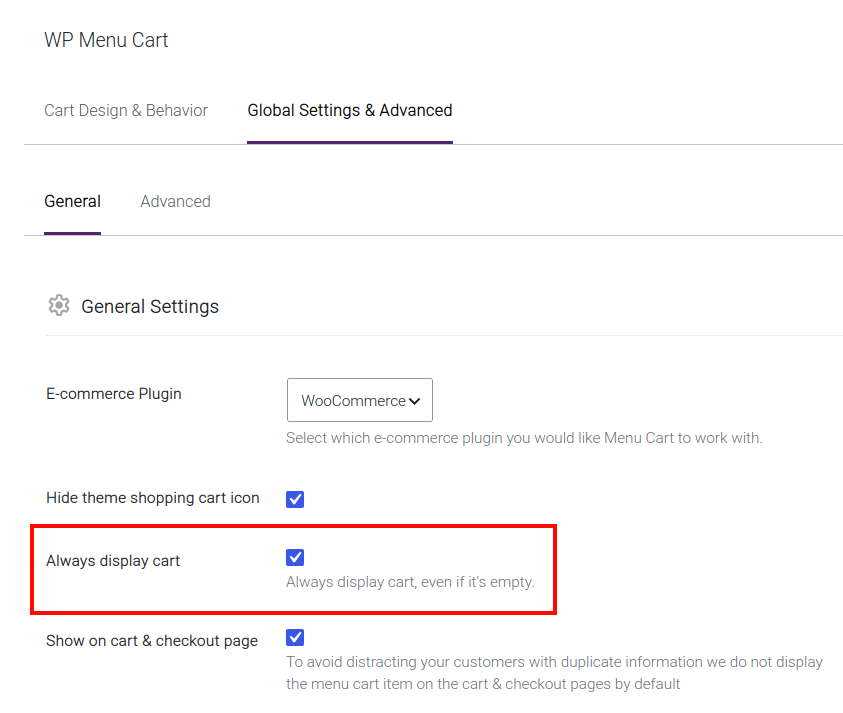
- If the cart is not visible, maybe an item needs to be added to the cart OR the ‘Always display cart‘ setting needs to be activated.
Path: WooCommerce > Menu Cart > Global settings & Advanced > General.