
It is important to note that generating a PDF document causes the order to consume a document number in a document number sequence.
Document numbers are not automatically returned to the document number counter. No billing software we know of does this, because it is bad practice.
This therefore means that there will be a gap in the numbering sequence, which accountants will complain about.
In case of an accidental order:
The correct procedure in these cases is to refund the order, even if you have not received money, in order to create a credit note that “cancels” the accidentally generated invoice from the order. This way, the numbering data becomes trackable, thus accounting-friendly.
If you deleted the accidentally created order:
Fix this by restoring the deleted accidental order, which you should get from the Trash (if you haven’t emptied it).
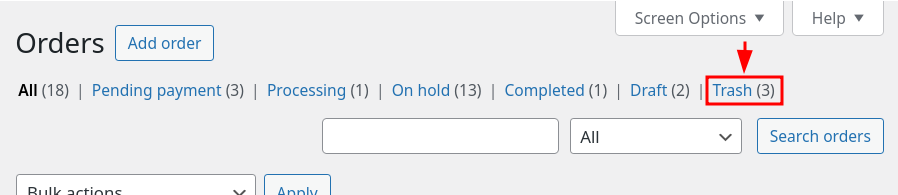
In the trash, select the order(s) to restore, select the “Restore” option within the batch actions, and finally click “Apply”:
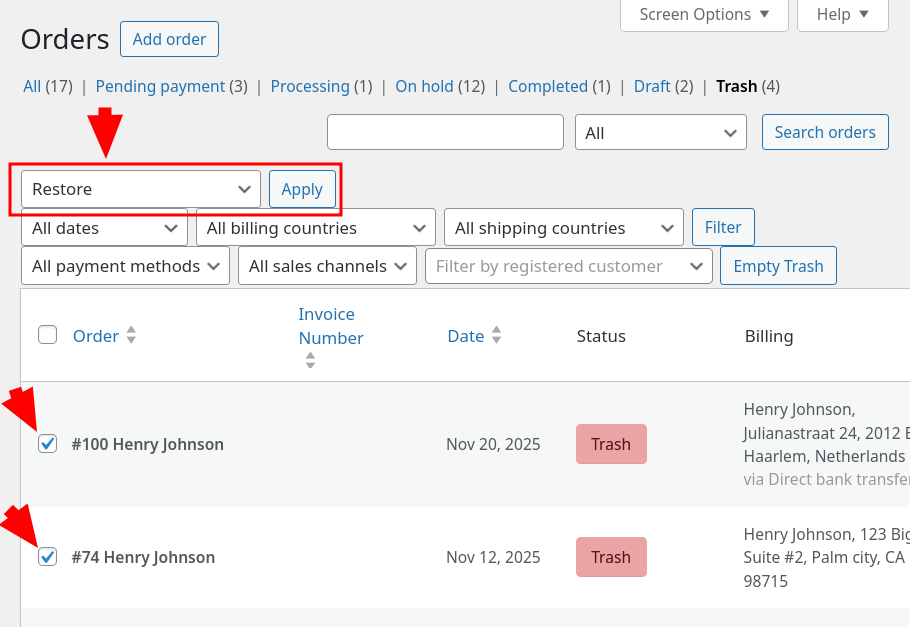
This will restore the order to the main list, in WooCommerce > Orders, where you can now refund it and create the corresponding corrective credit note.


